About Mario.js — World 1-1 Remake
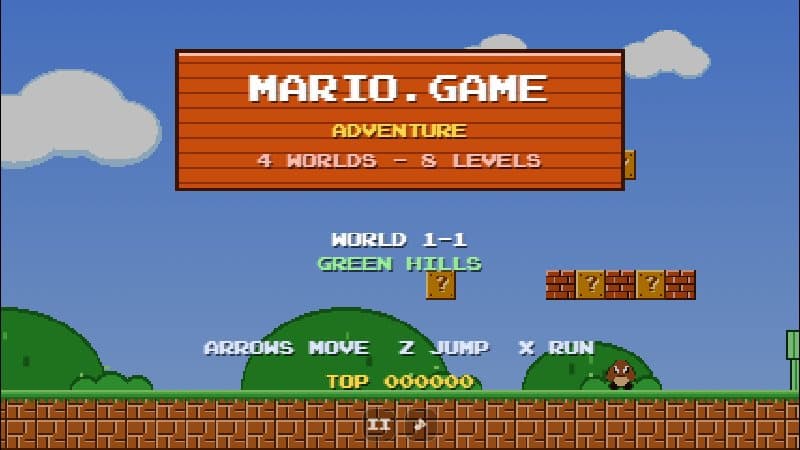
Mario.js is a clone of the first level of the NES game written by developer Garrett Johnson as an engine-building exercise. There is no game framework underneath: the main loop, scrolling, collision detection, sprite animation and rendering order were all written by hand in plain JavaScript.
That makes it a great way to replay World 1-1 — the level that taught a generation how to play platformers without a single line of tutorial text. The first Goomba teaches you to jump, the first ? block teaches you to hit things from below, and the pipes teach you that the world can hide secrets.
The author's own notes explain the design: enemies become active slightly before they appear on screen, collision boxes are a bit more generous than the sprites, and the layers are drawn in a fixed order — background, props, items, enemies, projectiles, terrain, player and finally pipes, so Mario can slide into them.
Controls
| Input | Action |
|---|---|
| ← → | Walk |
| Z | Run |
| X | Jump |
| ↓ | Enter pipes / crouch |
Features
- Pixel-faithful layout of World 1-1, including the hidden pipe and the flagpole
- 60 fps engine written from scratch without frameworks
- Original-style collision boxes and enemy activation just before they scroll into view
- Mushrooms, fire flowers, stars, coins and breakable bricks
Tips
- X jumps and Z runs — the opposite of many PC games, so give your fingers a moment to adjust.
- Hold Z while jumping from the top of the final staircase to grab the flagpole as high as possible.
- Try pressing ↓ on the pipes — one of them leads somewhere special, just like in the original.
- Click inside the game once if the keys do not respond; the frame needs keyboard focus.